The 1am problem
A day ends at 5am
Your 1am session stays on the day you started — not a blank "today" after midnight.
For the UPSC desk
Focus sessions, Mains answer writing, and a private study log — counting the day the way you actually study it, not the way a clock does.
Get it on Google PlayFree · No ads · Works offline
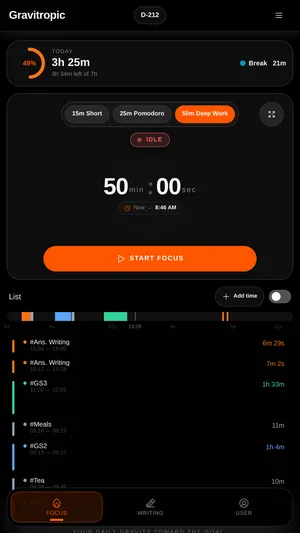
Focus Mode
The whole screen goes to the work: the timer, the time you will finish, and a background worth looking at for fifty minutes. Ambient sound if you want it, silence if you don't. Favourite one and it is cached on the device, so it plays with the data off.
Make the room quieter
The same visual library that powers Focus Mode: stills for a calm desk, motion when you want the room to feel alive.



Built around real study habits
01A day ends at 5am02Rest days keep the streak03Think, then write04Keep the exam in view05Focus with a view06Private by default
The 1am problem
Your 1am session stays on the day you started — not a blank "today" after midnight.
Streaks that survive real life
Mark Sundays or one-off breaks as rest days. Your streak steps over them instead of resetting.
Built for Mains, not for coders
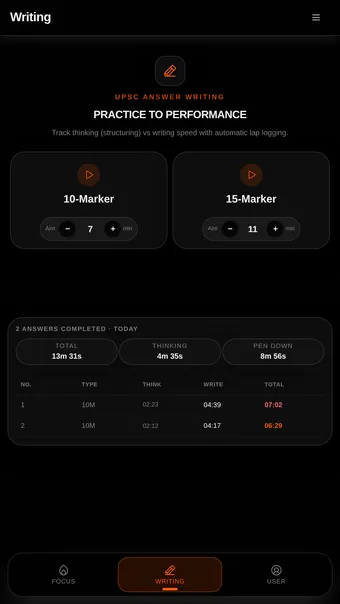
Each answer splits into thinking and writing, with 7-minute 10-markers, 11-minute 15-markers, and laps for full sets.
Something to aim at
Set Prelims or Mains once. The countdown and your daily, weekly, and monthly targets stay beside every session.
A desk you want to sit at
Choose from 25 videos and 37 stills, add ambient sound, and favourite visuals to cache them offline.
Not a telemetry product
No account, ads, or tracking SDK. Your log stays on-device and exports to JSON or CSV; sync is optional.
Inside the app
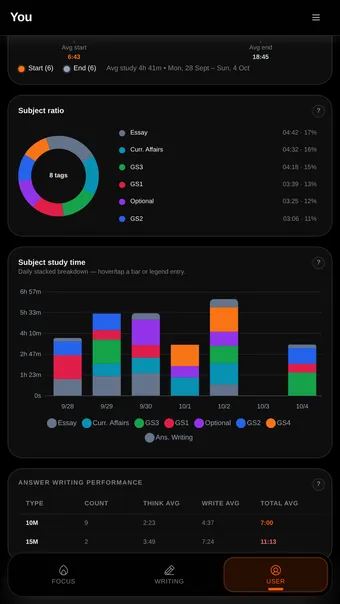
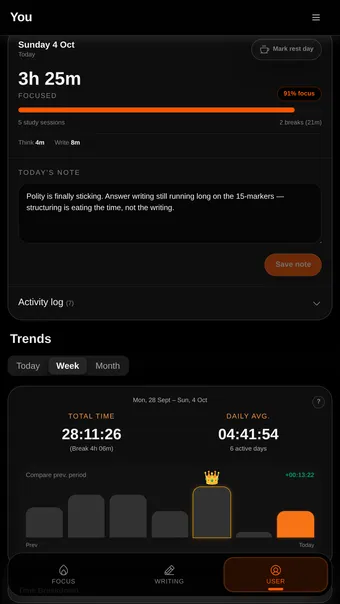
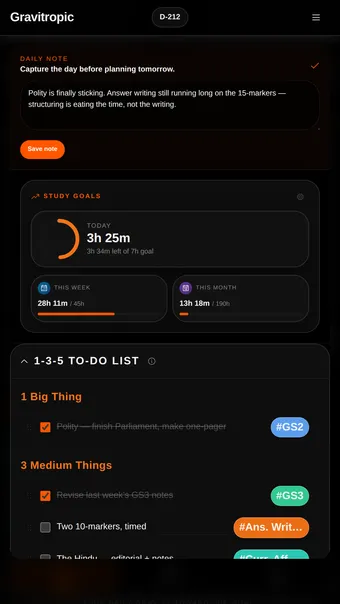
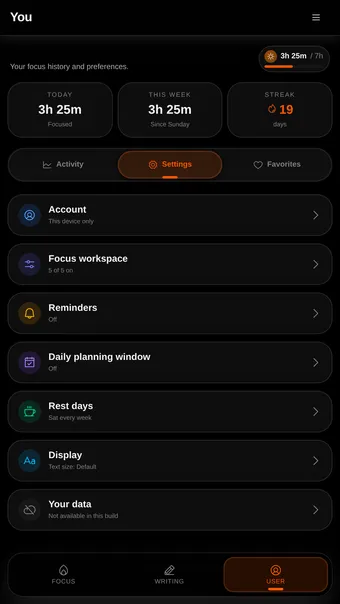
Every screen here is the app as it ships, on a log of about eleven weeks.
Your timer, your way
A dial you can glance at from across the desk, a filled disc that empties as the session does, or plain numbers when you would rather not be reminded at all. Settings switches between them; the session is the same underneath.
Why it exists
Nobody clears Civil Services on motivation. They clear it on a system that returns them to the desk every day — which is the only thing this app is trying to be.
Your daily gravity toward the goal.
Need to know
Yes. The timer, the answer-writing clock, your tags, to-dos and analytics all run on the device. Background visuals stream once and are cached, and anything you favourite is pinned so it never gets evicted.
No. It opens straight into a working timer and keeps your log on the device. Google sign-in is optional, and only so a phone and a laptop can show the same log.
Free, no ads, no subscription. There is no advertising SDK in the app and no part of the timer is behind a paywall.
Because someone at the desk until 1am is still working on the day they sat down for. A midnight boundary splits that session across two days and gets both of them wrong. Every total, streak and calendar cell in the app uses the 5am boundary.
Nothing, if you mark it. Set your weekly rest day in Settings, or mark one day from the calendar, and the streak steps over it rather than resetting.
It separates thinking from writing, so you can see which half is costing you the time, and it has laps for working through a set at Mains pace. The default targets are UPSC targets, and you can change them.
Any time, as JSON or CSV, from Your data in the app. It is your study log; you should not need permission to keep a copy.
Message me on Telegram — that is the quickest, and it reaches me directly. Email works too if you would rather.
Anything else: Telegram · support@gravitropic.org